Creating a New Customer
Overview
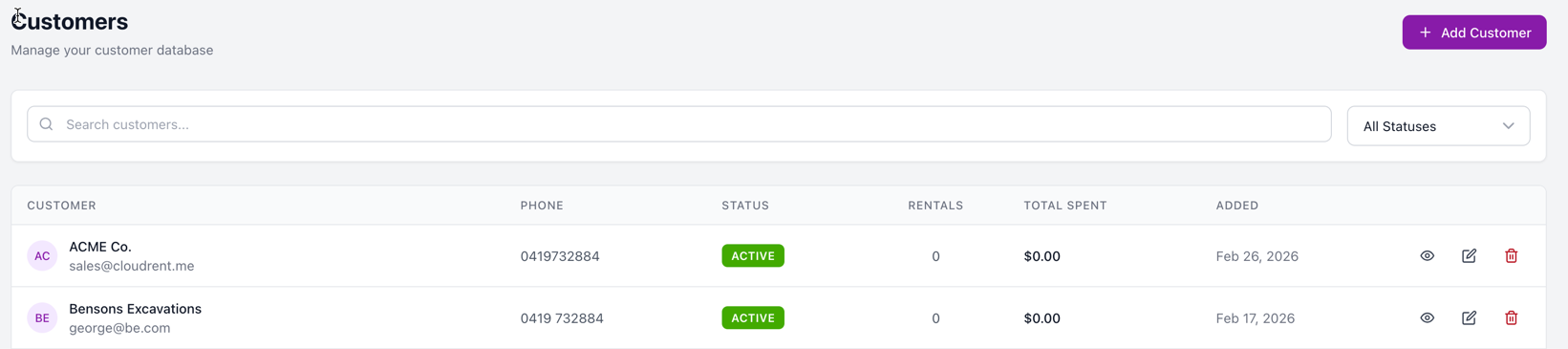
Customers are at the heart of your rental business. Before you can create quotes, rentals, or invoices, you'll need to add your customers to CloudRent Pro.
Accessing the Customers Section
Click Customers in the left sidebar
Click the + New Customer button in the top right corner
Select Business type for companies — the company name appears on invoices
CloudRent Pro warns you about duplicate emails
Add notes about customer preferences (internal only)
Customer Information Fields
Basic Information
Field | Required |
|---|---|
Customer Type (Individual/Business) | Yes |
First Name | Yes |
Last Name | Yes |
Company Name | No |
Yes | |
Phone | No |
Address Information
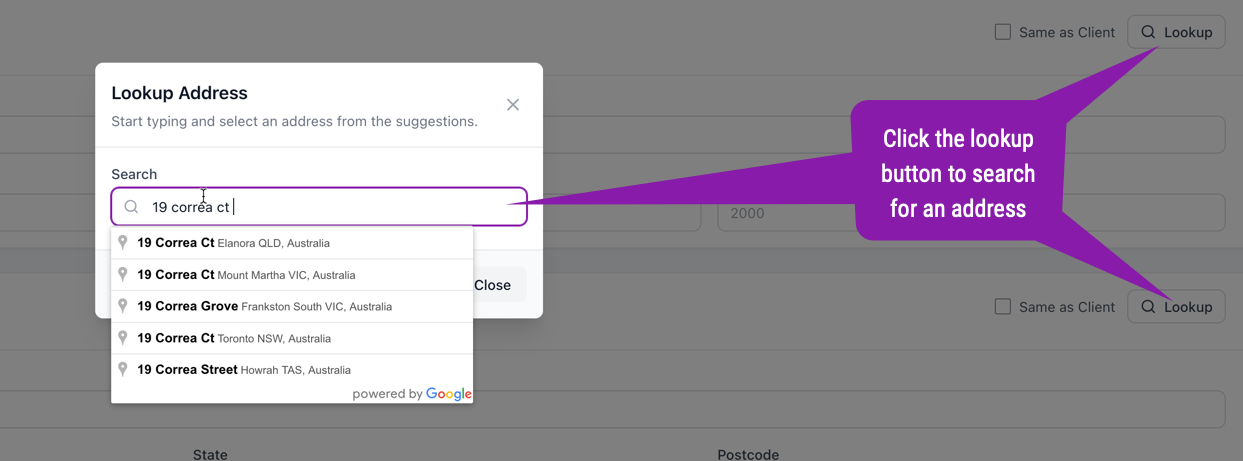
Enter street address, city, state, and postcode. Toggle "Different billing address" if billing differs from the main address.
Use address lookup to quickly search for and auto-fill addresses.
Tips
Pro Tips
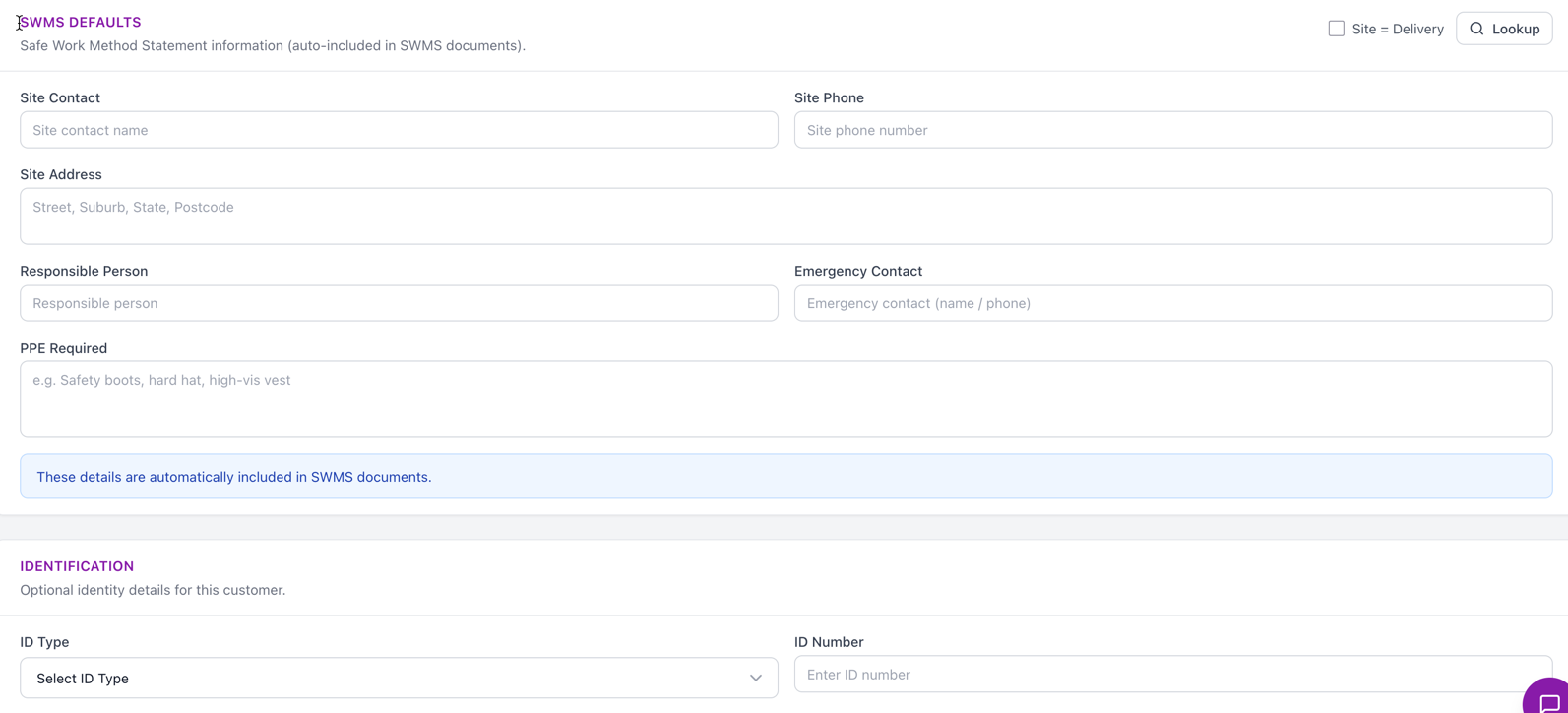
SWMS Details
Complete the SWMS (Safe Work Method Statement) details for the customer. When you add this customer to a job, the SWMS details will automatically pull through to the job.
When you assign the job to a SWMS document, the customer's SWMS details will be included in the final document.